 ShotCrafted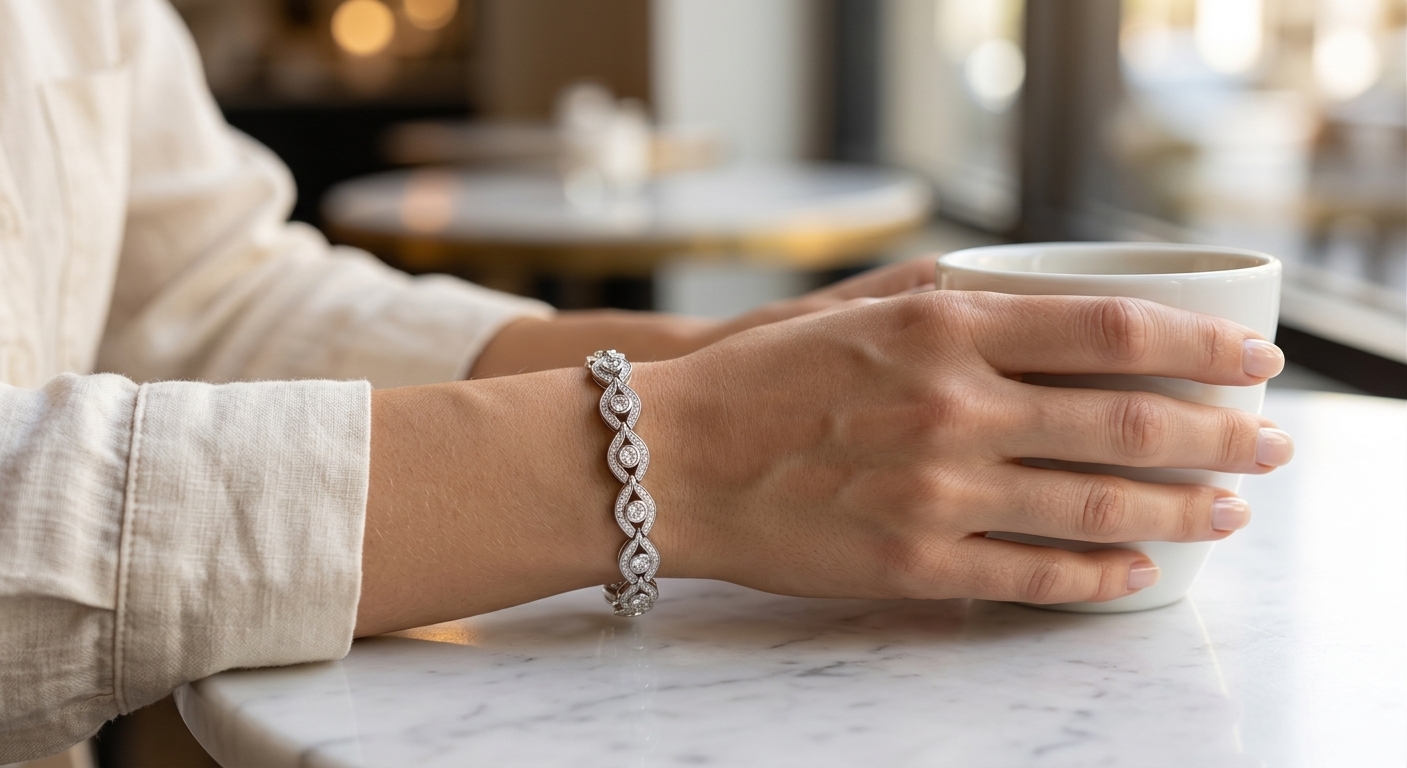
You know the photo. A ring, shot from above, on a marble slab, with a eucalyptus sprig for vibes. It's fine. It's also one of roughly eight million near-identical images on Instagram this week, and buyers scroll past it without registering anything happened.
Flat-lay has been the safe choice for small jewellery brands for years, mostly because the alternative has been expensive. Hire a photographer, book a studio, pay a model, wait weeks for retouched files. Most independent jewellers can't justify that for a product line that turns over every season, so they settle.
The data on this hasn't been ambiguous for a while. Shoppers convert better when they see jewellery worn. A ring on a hand looks different from a ring on a table. A necklace on a collarbone tells you how it sits, how long it is, whether it works with a crew neck or a plunge. Context sells.
So the real question isn't whether you need lifestyle photography. It's how to get it without blowing your margin.
What the old way actually costs
Let me put numbers on “expensive” because the word gets thrown around without specifics.
A typical jewellery lifestyle shoot in 2025 ran somewhere between £1,000 and £3,300 for a small brand, per session. That's for a half-day with one model, one photographer, basic styling, and around 10 to 20 retouched images. Add a makeup artist and a second model, and you're comfortably past £4,000. Turnaround from booking to final files usually sits at 2 to 4 weeks because retouching jewellery is slow work. The surfaces reflect everything, which means cleaning up stray fingers, studio lights, and dust takes real time.
Now divide that by the number of SKUs you're launching this quarter. If you drop 15 new pieces a season, and each one needs hero, detail, and lifestyle shots across multiple angles, you're looking at something unworkable for most independent brands.
This is why most small jewellers either skip lifestyle shots entirely or commission them once a year and recycle the same images until they're exhausted. Neither option is great.
Why DIY usually goes wrong
The other route is shooting it yourself. A window, a piece of white paper, a phone. This can actually work for clean product shots if you're patient. Rings propped at a 15-degree angle with museum wax, necklaces in a loose S-curve rather than flat, a white foldable card as a bounce. All of it is documented in about a thousand YouTube tutorials and most of the advice is sound.
Where DIY falls apart is lifestyle. You cannot photograph a ring on your own hand and have it look professional. You cannot ask your sister to model a pendant and end up with an image that sits next to Mejuri's on a Pinterest board without looking like the amateur one. You need skin tone consistency, proper retouching, a clean background, and a model who knows how to hold a hand still for 40 frames. That's a skill, and it's why photographers charge what they charge.
So most jewellers end up in the middle. Product shots that are fine. Lifestyle shots that are missing. The listing converts worse than it should, and nobody's quite sure why.
The AI option
This is where things have shifted. Over the last couple of years, image generation has gotten good enough that you can take a flat product shot of a ring and get back a realistic image of it being worn. Not stock photos. Not your product badly composited onto someone else's hand. Actual photoreal output where the ring is the one you uploaded, with the right metal, the right stone, the right proportions.
The catch is that most general-purpose AI image tools are terrible at this specifically. Ask ChatGPT or Midjourney to put your ring on a hand and you'll get a hand with six fingers, a different ring, or your ring warped into something close but wrong. Jewellery is a worst-case for generic models because the details matter. A slightly altered pavé pattern is a different ring.
Tools built specifically for jewellery handle this differently. They preserve the uploaded product and only generate around it. (ShotCrafted is one of those tools, so treat the rest of this section with whatever grain of salt feels appropriate.) You give it a ring, it gives you the same ring on a hand, in natural light, with the skin, nails, and background looking like a real shoot. The output takes about a minute. Pricing works on credits rather than bookings.
I'm not going to pretend this replaces every use case. For a £50,000 bridal campaign where the creative director has a specific vision, you hire humans. But for the bulk of product imagery that small jewellery brands actually need, meaning lifestyle variations across a seasonal line, the economics have flipped.
What to check before you commit
A few things worth testing before you go all-in on any AI jewellery photography tool, including ours.
Does it keep your product identical? Upload a ring, generate the output, and zoom in. The stone count, prong style, and band texture should match your upload. If the tool is “reimagining” the product, that's a dealbreaker for e-commerce because customers will call out mismatches the moment the piece arrives in the box.
How does it handle different metals? Gold, rose gold, and silver all reflect differently. Yellow gold especially tends to get rendered too orange or too saturated by models trained on mixed data. Test with your actual pieces before you commit to a monthly plan.
Can you control the scene? A ring on a hand in a café is a different image from a ring on a hand on a beach. You want the output to match your brand's aesthetic, which means prompts or presets that actually land where you want them.
What's the licensing situation? Some AI tools have unclear terms around commercial use. For product listings on Shopify, Amazon, or Etsy, you need clean commercial rights on the output. Read the small print.
How fast is the feedback loop? The reason AI is useful here isn't only the cost. It's iteration. If you can generate ten variations in ten minutes, you can actually test which lifestyle scene converts better without running a photoshoot. That feedback loop is the piece traditional photography can't match, and it's where most of the real value sits for small brands.
A practical test
If you've never tried this, pick your three best-selling SKUs and generate lifestyle variants of each. Put them up next to your existing flat-lay images on your product pages for a month and look at the conversion data. Most brands I've talked to see a measurable lift, though results vary by category and price point. Engagement rings tend to benefit more than, say, stacking bracelets, because the “how will this look on me” question matters more to the buyer at that price.
If conversion doesn't move, you haven't lost much. A few credits and an afternoon. If it does, you've basically bought yourself a studio and a model team for a fraction of the cost.
That's the real pitch. Not better photos in some abstract sense. Cheaper testing of what actually sells.
Want to try it? You get three free credits on sign-up, no card needed. Upload one of your flat-lays and see what comes back.
Questions about pricing? See credit pricing or read the FAQ.